
Uncovered Bookmarks #23: Building a Personal CRM
Using Every's agent-native architecture to create my dream digital rolodex
I meet hundreds of founders, operators, and domain experts every year. After a while, the problem isn’t meeting interesting people. It’s remembering them. Who was the designer who mentioned wanting to start a company? Which engineer used to work at Atlassian before their current role? When did I last speak to that product leader who’d be perfect for a portfolio company’s open role?
I’ve tried solving this with spreadsheets, Notion databases, notes apps. They all share the same failure mode: I stop updating them after two weeks because the friction of maintaining a separate system outweighs the benefit.
So I built a personal CRM. But I built it differently.
There’s no app. No dashboard. No login screen. Claude is the application.
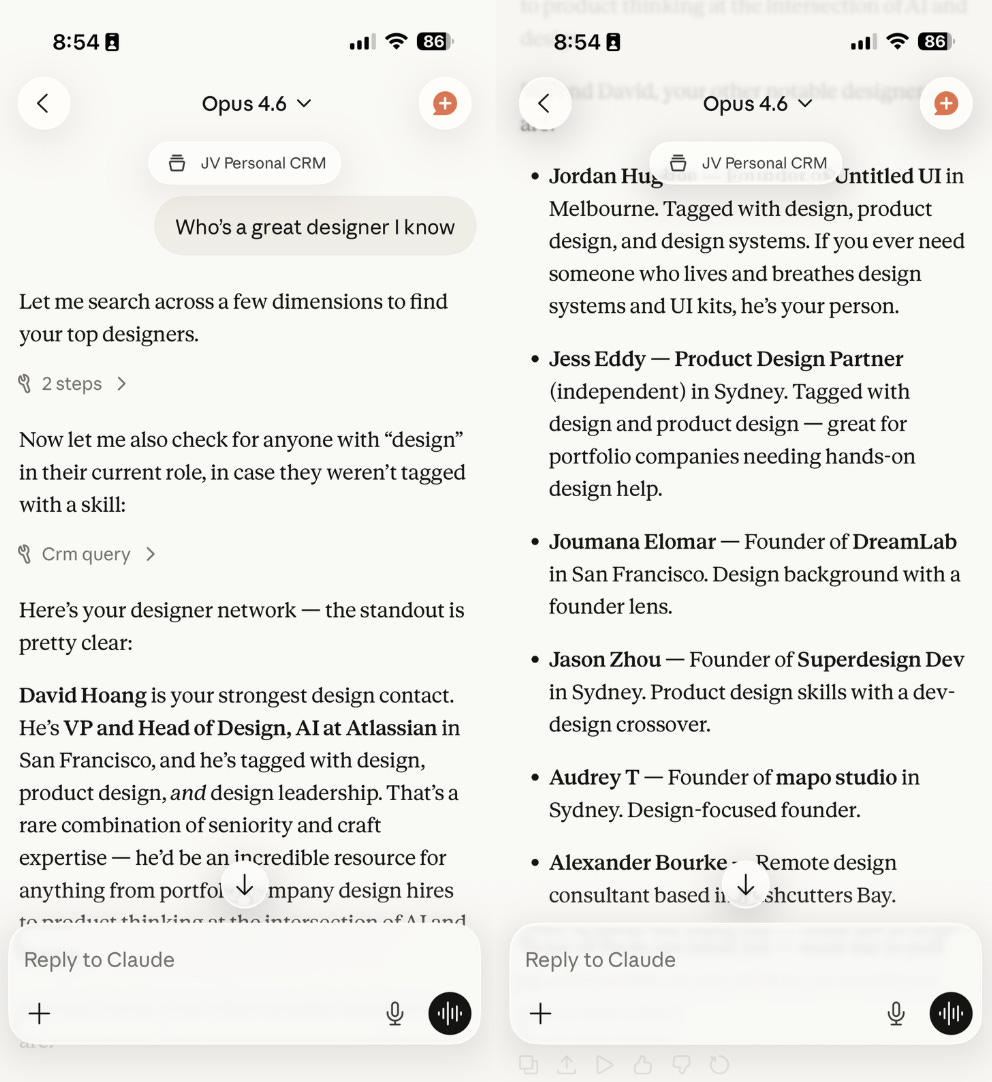
The entire system is a Supabase database connected to Claude through an MCP with four simple tools: query, insert, update, delete. On top of those sit a set of markdown files that describe workflows in plain language. When I ask Claude to add someone to my CRM, it reads the relevant workflow, decides which tools to call and in what order, and handles the rest. Every feature is a prompt describing an outcome, not a codebase encoding steps.
This follows what Dan Shipper at Every calls agent-native architecture. Instead of writing traditional code for every feature, you give an AI agent access to simple, atomic tools and describe what you want to happen. The agent figures out how to compose those tools to get there. Features are grown through language rather than built through instructions.
In practice, it works like this. I say “add Sarah Chen” and paste a LinkedIn URL. Claude calls Harmonic to enrich the profile with her role, company, work history, and inferred skills. It checks Granola for any meeting notes that mention her and attaches them automatically. A full profile appears in seconds, and I didn’t fill in a single field.
Search is where it gets genuinely useful. I can ask “who do I know in design who’s thinking about starting something?” and get back a ranked list with context on why each person matched. The query runs against skills, flags, notes, roles, and companies simultaneously. No filters to configure, no boolean logic to remember.
It also watches my meetings. After every Granola sync, it flags people who appeared in transcripts but aren’t in the CRM yet, suggesting I add them. The system grows as my network grows, without me having to remember to update it.
Links


This was just delightful. I studied history at university, so I know not to take a single historian’s explanation of a period as fact, and I don’t know this period well enough to understand if her explanation is more or less likely than others, but her storytelling is just wonderful:
Stunning Iranian architecture:
How to design like a genius:

 Tiktok failed to load.
Enable 3rd party cookies or use another browser
Another good example of GTM Eng in practice:


Tracks
And some lighter playlists: